



GAME CATEGORIES
Choose a game and discover the latest PvP and private servers.


Find Turkish Minecraft servers here. Server pages link to game modes, connection details and community channels.
Minecraft Servers List
STANDARD
Knight Network
Knight Network, Minecraft oyuncularının farklı oyun tarzlarını aynı ağ üzerinden değerlendirebildiği bir sunucu projesidir. Sunucu listelerinde Survival SMP, Skyblock ve Factions oyun modlarıyla yer almaktadır.
STANDARD
TurkeyMC
TurkeyMC, Minecraft Java oyuncularına SMP, Skyblock ve Towny deneyimlerini tek ağ altında sunan bir Türk sunucu projesidir. Resmî sitede bağlantı adresi oyna.turkeymc.com, önerilen oyun sürümü ise Java Edition
Minecraft Server Guide 2026
A current guide to Minecraft private servers: 16 servers are listed, 10 of them preparing to open (20 November 2026).
16Total servers
10Preparing to open
0Mobile-supported
Other game servers: Knight Online, Silkroad Online.
Platform split
16
- PC 16
- Mobile 0
- Mobile + PC 0
Server types
Upcoming openings
- AesirMCDate not announced · PC · PvP
- ChickenNWDate not announced · PC · PvP
- SoulCraftDate not announced · PC · PvP
- RebornCraftDate not announced · PC · PvP
- KnightNWDate not announced · PC · PvP
- CraftLunaDate not announced · PC · PvP
- TRPVPDate not announced · PC · PvP
- ZenitMCDate not announced · PC · PvP
Top by votes
All servers Search, filter and sort
16 servers shown
| Server | Platform | Type | Status | Opening | Votes |
|---|---|---|---|---|---|
| ChickenNW | PC | PvP | Soon | - | 436 |
| ZenitMC | PC | PvP | Soon | - | 431 |
| Craftavia | PC | PvP | Live | - | 428 |
| LivaMC | PC | PvP | Live | - | 353 |
| Knight Network | PC | PvP | Live | - | 330 |
| TurkeyMC | PC | PvP | Live | - | 313 |
| Ultimis | PC | PvP | Soon | - | 291 |
| CraftLuna | PC | PvP | Soon | - | 268 |
| Blokya | PC | PvP | Soon | - | 220 |
| MinerTown | PC | PvP | Live | - | 177 |
| Provanas | PC | PvP | Live | - | 173 |
| SoulCraft | PC | PvP | Soon | - | 169 |
| TRPVP | PC | PvP | Soon | - | 151 |
| KnightNW | PC | PvP | Soon | - | 67 |
| RebornCraft | PC | PvP | Soon | - | 19 |
| AesirMC | PC | PvP | Soon | - | 14 |
Server showcase Servers standing out by votes and views
ChickenNW
PC · PvP
Soon
ZenitMC
PC · PvP
Soon
Craftavia
PC · PvP
Live
LivaMC
PC · PvP
Live
Knight Network
PC · PvP
Live
TurkeyMC
PC · PvP
Live
How to get started: 4 steps
1Pick a server
Choose a server that matches your platform (PC or mobile) and play style.
2Verify the announcement
Check that website and Discord announcements agree.
3Connect from the official source
Take the connection address only from the server's official website or Discord announcement.
4Try it first
Play a few days before spending real money.
Which server for whom?
Beginner
Prefer servers with clear rules and an active community; try them for a few days first.
Playing with friends
Look for servers with an active community and Discord and clear rules.
Competitive player
Review PvP servers; read the rules and the economy announcement.
Tags seen in listings
SurvivalPvPSkyblock
On Minecraft servers the game mode (survival, PvP, skyblock and so on), the supported game version and staff quality decide the choice. Check the announcement for the supported version before connecting.
Choosing a Minecraft server
Decide the game mode (survival, PvP, skyblock) and choose accordingly.
Find the supported game version in the announcement.
Make sure the staff and rules are clear.
Check Discord and community activity.
Opening day plan
1Before opening
- Verify the website and Discord announcement.
- Check version and device support.
- Read the rules.
2Opening day
- Download files only from the official source.
- Start small, avoid rushed spending.
- Expect possible crowding or delays.
3First week
- Watch the economy and community.
- Make large purchases once it looks stable.
- Use the official support channel if something goes wrong.
Checklist before choosing a server
- Are the website and Discord active and up to date?
- Are rules, trade and ban policy written down?
- Are opening date and announcements consistent on official channels?
- What do player reviews and the vote ranking look like?
- Try the server a few days before spending real money.
See all upcoming launches in the opening calendar and community picks in the vote ranking.
Quick glossary
- PvP
- Gameplay where players compete against each other.
- Survival
- A mode focused on gathering resources and surviving.
- Skyblock
- A mode where you start on a small island in the sky.
- Version
- The Minecraft version the server supports.
- IP
- The address used to connect to the server.
- Discord
- The chat platform communities use for announcements and support.
Related articles
Frequently asked questions
Are Minecraft private servers safe?
Safety varies by server. Check the website, rules and community activity, and make larger purchases only after a few days of trial.
Which game mode should I choose?
If you like surviving, look at survival; for competition, PvP; for progressing on an island, skyblock. Read the description on the server page.
Why does version compatibility matter?
Your client must be compatible with the Minecraft version the server supports; read the announcement before connecting.
How do I follow newly opening servers?
Check the opening calendar and the server page regularly; opening times can change, so verify official channels.
What happens if a server shuts down?
Characters and progress are usually lost, so make large purchases only after the server proves stable.
Details come from server owners' announcements and our listings and may change. Verify with official sources before launch or any payment.
LATEST NEWS
All Articles
Mobile Metin2 news, server spotlights and up-to-date guides
Trusted by server owners
Our References
Some of the servers we have worked with and promoted on Mobile2Serverler.
27+partner servers
637servers listed
242.253server page views
TR · EN · DEthree-language promotion
PLATINUM 2 GOLD 4 SILVER 14
PLATINUM 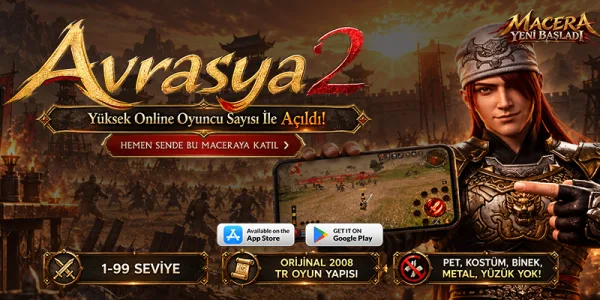 AvrasyaMT2 Mobile ve PC
View server
PLATINUM
 Onxer.Online Wslik Server
View server
GOLD
 Royale2 Online
View server
GOLD
 HuunMobile2
View server
GOLD
 Ayyildiz2 Mobile
View server
GOLD
 MOBİLE2 GLOBAL
View server
SILVER
 M2 Hero Mobile
View server
SILVER
 Arva2 Mobile
View server
SILVER
 HardMt2 Mobile
View server
SILVER
 Remastered2
View server
SILVER
 Ebedi2
View server
SILVER
 SOFİ2 Mobile
View server
SILVER
 Mekanmt2
View server
SILVER
 Metius2 Mobile
View server
AvrasyaMT2 Mobile ve PC
View server
PLATINUM
Onxer.Online Wslik Server
View server
GOLD
Royale2 Online
View server
GOLD
HuunMobile2
View server
GOLD
Ayyildiz2 Mobile
View server
GOLD
MOBİLE2 GLOBAL
View server
SILVER
M2 Hero Mobile
View server
SILVER
Arva2 Mobile
View server
SILVER
HardMt2 Mobile
View server
SILVER
Remastered2
View server
SILVER
Ebedi2
View server
SILVER
SOFİ2 Mobile
View server
SILVER
Mekanmt2
View server
SILVER
Metius2 Mobile
View server
SILVER  Sercio Metin2
View server
SILVER
 Mobile2.fix
View server
SILVER
 Landofheroes
View server
SILVER
 Waryong2 Metin2
View server
SILVER
 Romia2mobile
View server
SILVER
 KafalarMetin2 Mobile
View server
 Misali2 Feda Mobile
View server
 META2 ONLİNE
View server
 ONLİNE METİN2 MOBİLE & PC
View server
 LOVA2 MOBİLE
View server
 TARANTİN2 MOBİLE & PC
View server
 META ONLİNE
View server
 AYAZMT2 MOBİLE
View server
Sercio Metin2
View server
SILVER
Mobile2.fix
View server
SILVER
Landofheroes
View server
SILVER
Waryong2 Metin2
View server
SILVER
Romia2mobile
View server
SILVER
KafalarMetin2 Mobile
View server
Misali2 Feda Mobile
View server
META2 ONLİNE
View server
ONLİNE METİN2 MOBİLE & PC
View server
LOVA2 MOBİLE
View server
TARANTİN2 MOBİLE & PC
View server
META ONLİNE
View server
AYAZMT2 MOBİLE
View server
Popular on our list